Every autumn, a new cohort arrives.
Build the phishing program once. Each intake comes in, each graduating year goes out, and the exercises and training keep running for everyone in between.


A first-year student and your finance office need different exercises
Students read mail on a phone between lectures and are gone again after a few years. The finance office pays invoices all day, which makes it exactly who a fake supplier writes to. So each group gets its own campaigns and its own difficulty level on the same platform, and everyone gets the Report-a-Phish Button in Outlook or Gmail.
- Short modules for students that work on a phone, starting at the basic level
- Harder exercises and advanced modules for the offices that move money and data
- Guests and visiting researchers, even when no campus directory lists them
- A short module the moment someone clicks, by email or in the browser
Set up once, then reused every semester
- 01Bring in the new cohortSync from Active Directory, Entra ID or OpenLDAP, or import the registrar's spreadsheet as XLSX or ODS and check a preview before anything goes in.
- 02Start in the first weeksNew students get their first exercise and a short module while campus is still new to them. Anyone who enrolls late gets the same sequence, timed from the day they join.
- 03Keep practicingExercises arrive at random through the semester, the way real phishing does, and anyone who clicks gets a short module on the spot.
- 04Report per facultyAt semester end, a generated report shows each faculty its clicks, reported messages and training progress.
- 05Graduate and carry overLeavers are archived with their statistics kept, then deleted after the retention period you set. Someone who returns for a master's comes back with their history.
Each faculty its own environment, one team to run them all
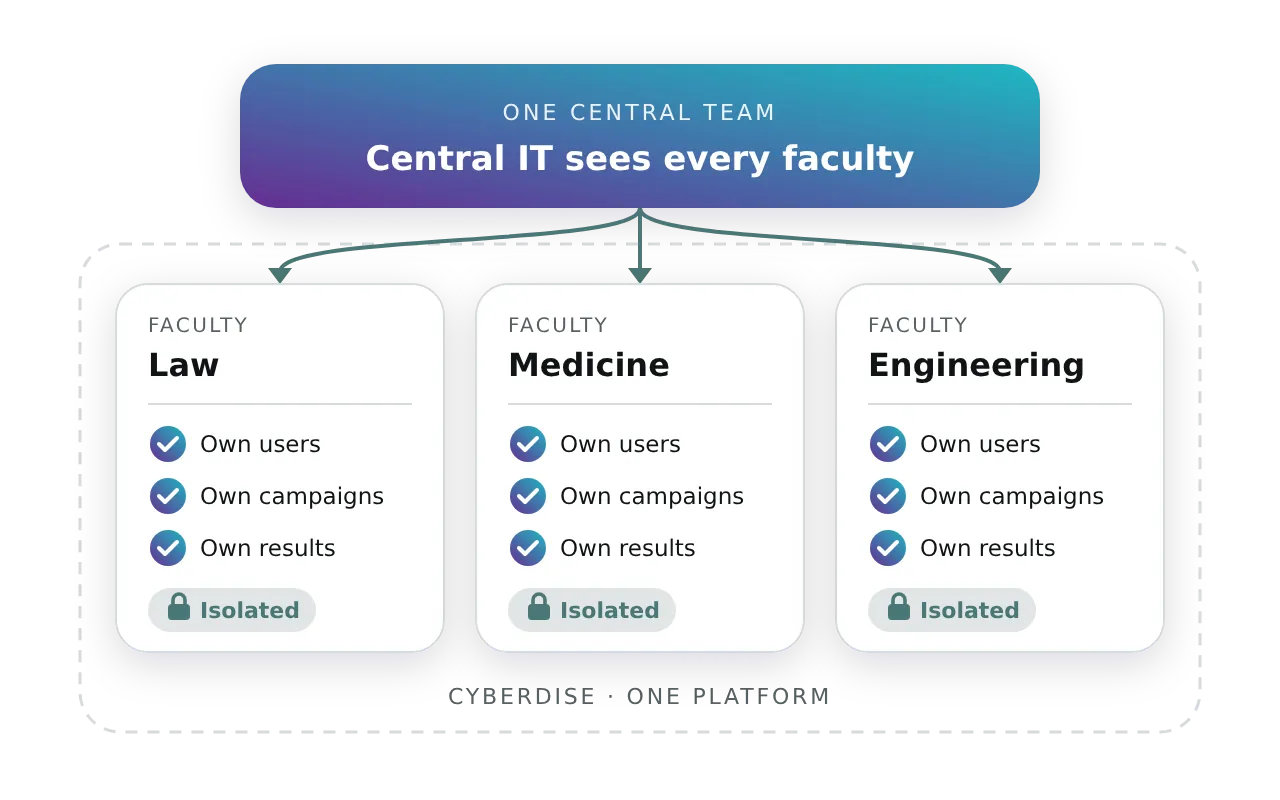
A faculty is closer to a subsidiary than to a department. Each one can run in its own isolated environment with its own users, campaigns and results, while central IT keeps one view across the whole university.
- Isolated environments per faculty, institute or campus
- Central IT sees the whole university, faculties see their own
- Each faculty with its own languages, sender domains and templates
What your data protection officer will want to see
A public university answers for the data it holds on students and staff, so you decide what the platform keeps in the first place.
Training where your students already log in
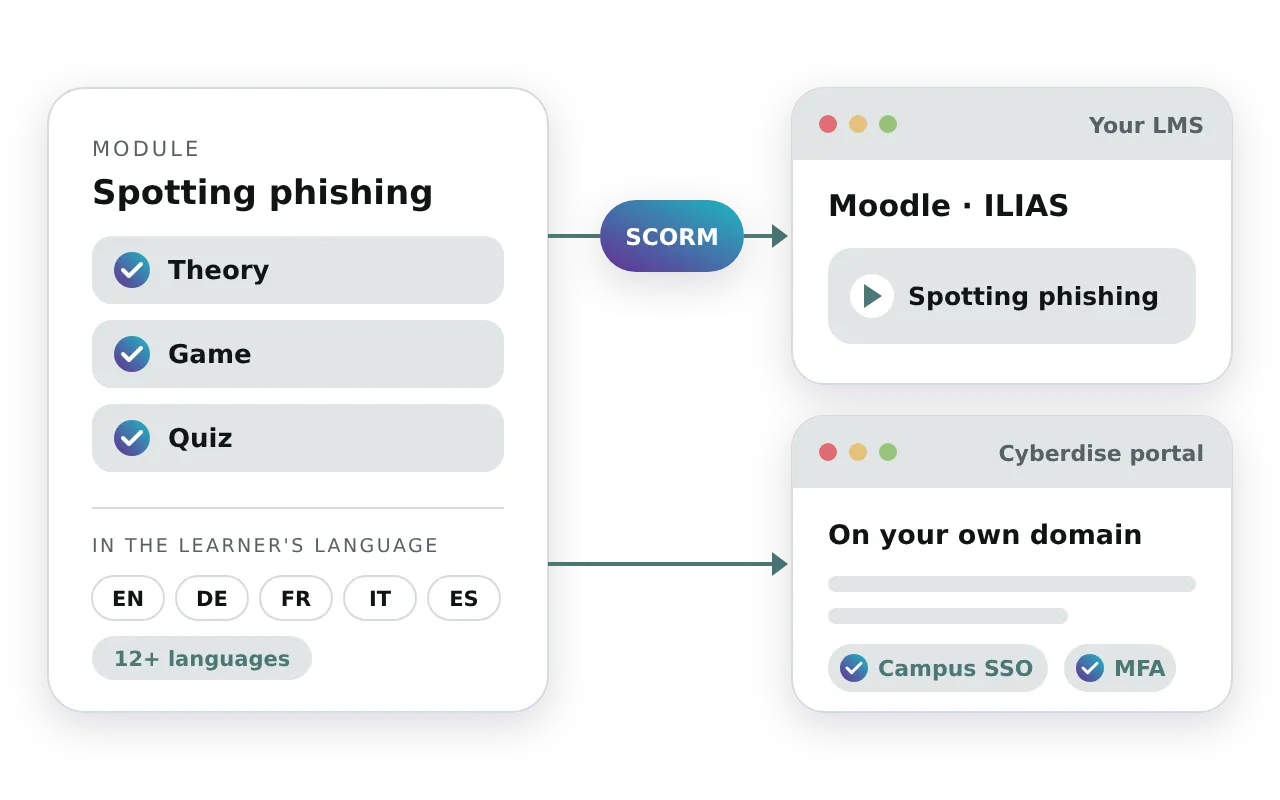
Export any module as a SCORM package and it plays in Moodle, ILIAS or any other LMS that takes SCORM. Courses you built yourself come the other way. If you'd rather keep training out of the LMS, the Cyberdise portal runs on your own domain. Either way, each person gets their modules in the language set on their account, which matters when an exchange semester brings in students who don't read the campus language yet.
- Your own SCORM courses run next to ours
- Courses in 12+ languages, English and German first
- The Report-a-Phish Button in 16 languages
- Exercises translated into another language in one step
- Portal sign-in through campus SSO, or a password with MFA you can enforce
From order to first campaign in a few weeks
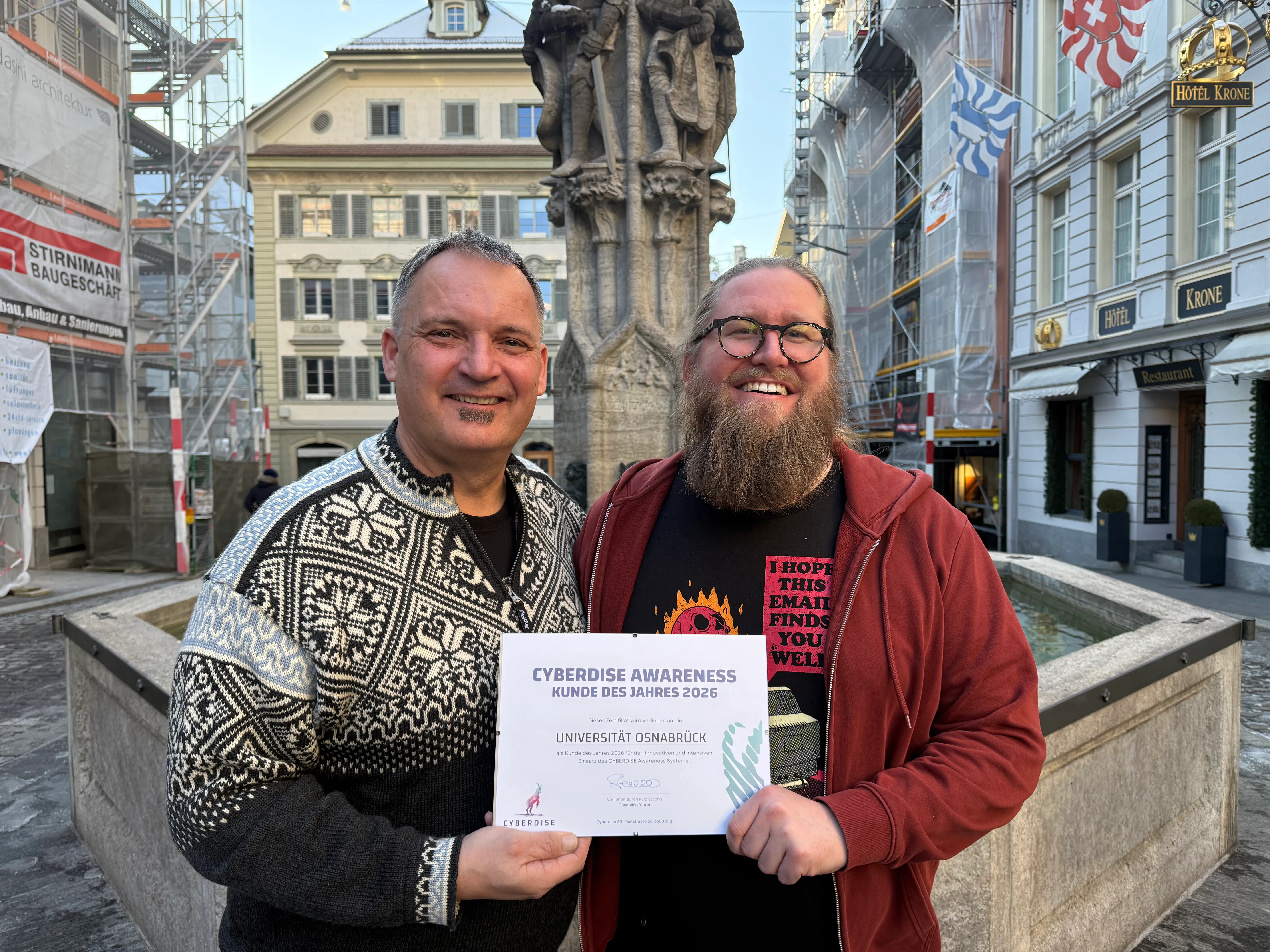
The University of Osnabrück wanted one program that reaches and trains every group on campus, at scale and within its data protection rules. No other Cyberdise customer has gone live faster, and it is our Awareness Customer of the Year 2026.
- Around 15,000 students and 1,850 employees
- Runs on the university's own servers
- Set up largely by the university's own team
- Now one of our reference customers
Before the first campaign goes out
Where does student data live, and who can see it?
What does a student do with a suspicious email?
Will the exercises reach student inboxes?
Can we start with one faculty?
Does our own team have to run it?
What does it cost for a university?
Set it up before the next intake arrives.
A 30-minute demo walks through one semester, from the first import to the archive at graduation.