Skip to content
Security assistant

The question people would rather ask a colleague.

"Is this email real?" "Can I put this file in a shared drive?" People ask whoever is nearest, and the answer they get is whatever that person happens to think. Cyberdise gives them an answer grounded in your own policies, in their own language, the moment they need it.

Your policies
your rules, not generic advice
Localized
answers in their language
In the moment
before the click, not after
Cited answers
says which policy
A young analyst with a coffee, reading an answer on a screen
Where they ask

It lives in the portal they already use.

Employees open the chatbot from the Query tab of the Cyberdise User Portal. It's the same portal where they take their training, check their progress and download their diplomas. Sign-in follows your portal settings: SSO, or a password they set from a single-use invitation link. You can also require MFA before anyone reaches the portal.

  • Follow-up questions keep the context of the conversation
  • Earlier chats are saved, and employees can delete them
  • Invitations go out by group, or automatically to new users
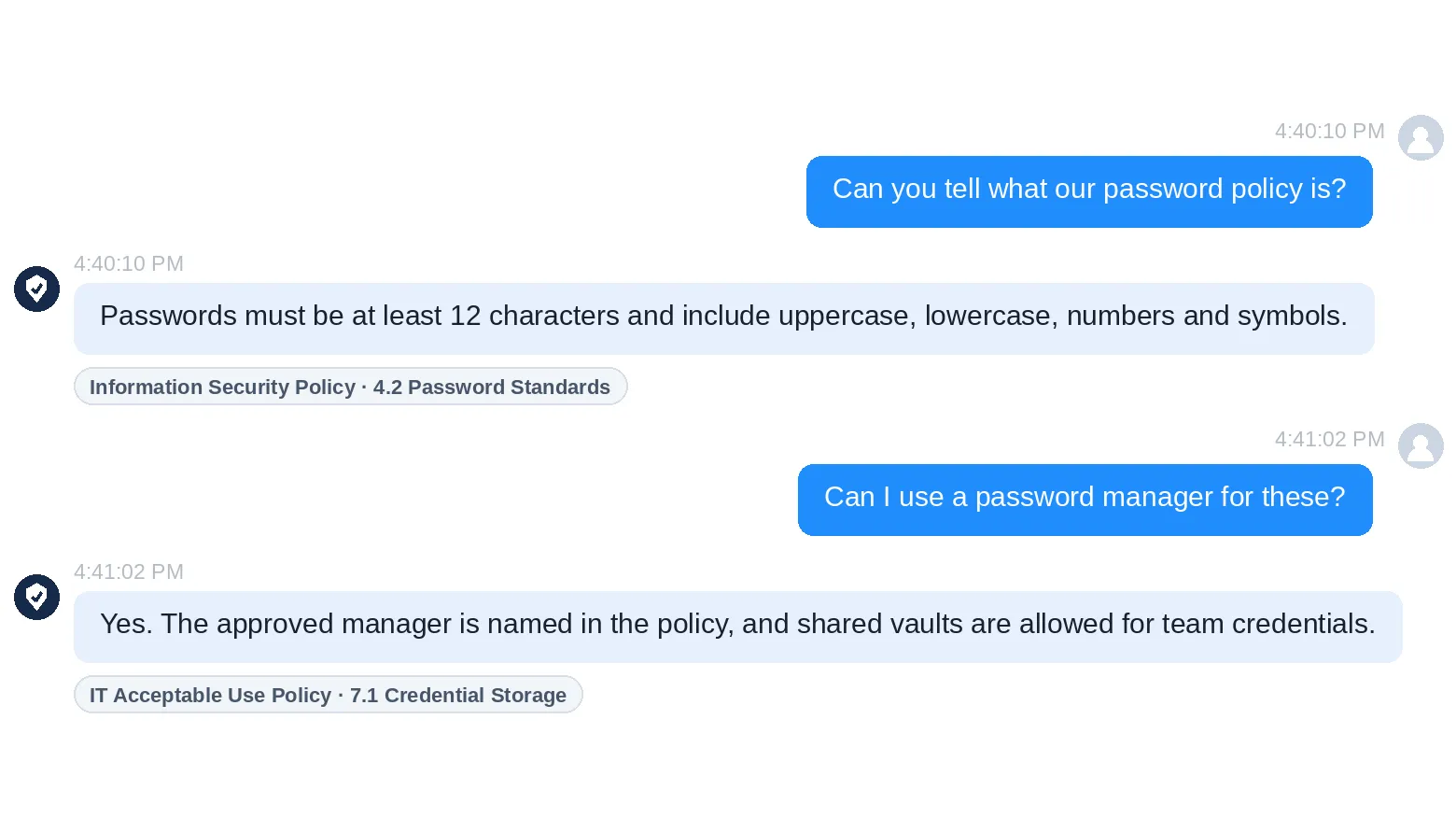
The same policies drive the training

The assistant answering a password question and naming the policy the answer comes from
Examples

What people ask it

Typical questions, and where each answer comes from.
Is this email real?Explains what to look for, from your own guidance.
Can I use this password manager?Answers from your own password policy and names the section.
Where may I store this file?Explains your data classification rules in plain language.
I clicked. What now?Tells them who to contact, following your incident process.
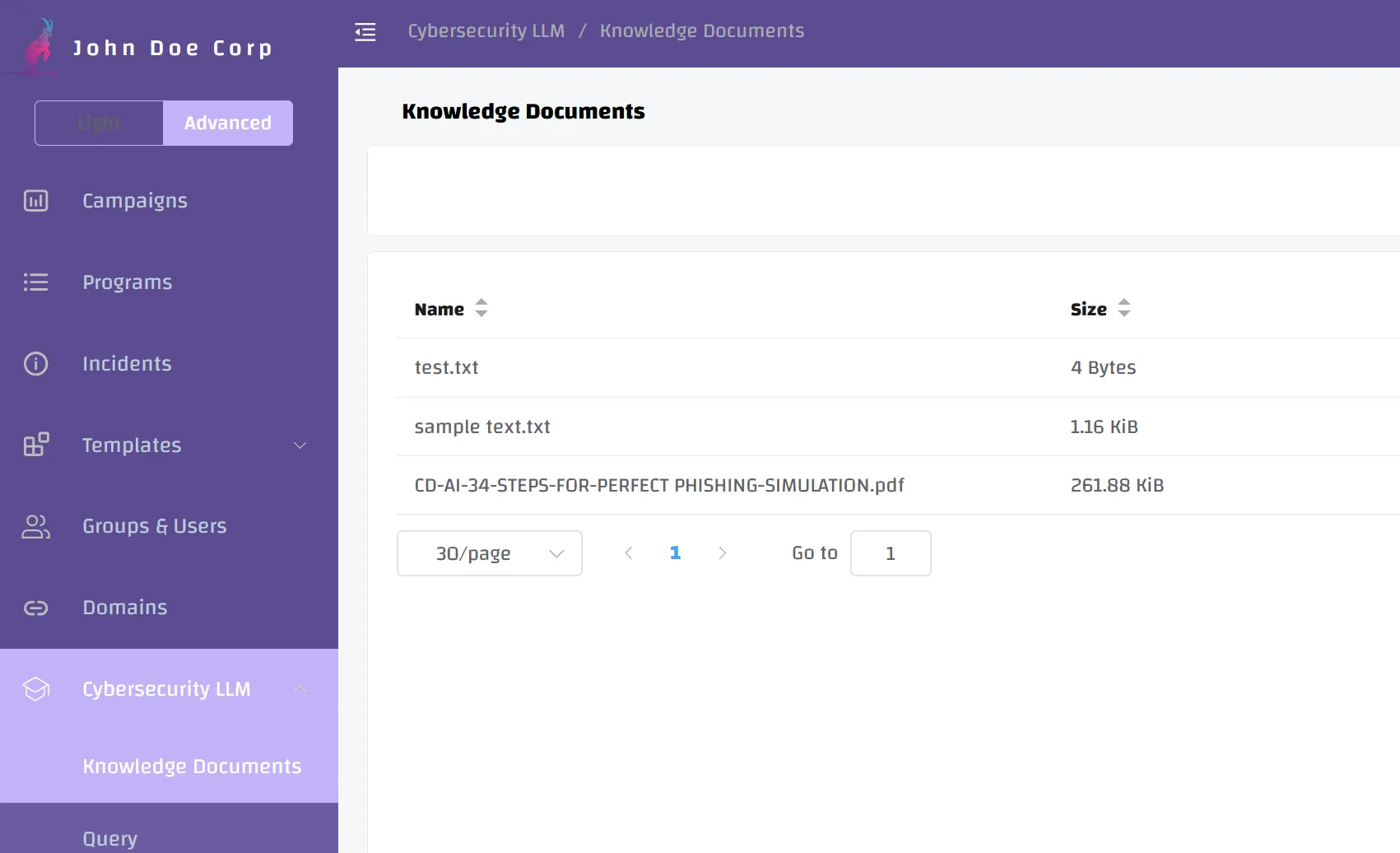
The Knowledge Documents view in Cyberdise, where the policy files the chatbot answers from are uploaded and processed
How it works

It only knows what you upload.

Your operators upload the policies, controls and procedures as knowledge documents, and the chatbot answers from those alone. Before an answer is shown, it's checked against the documents. If they don't support it, the answer is dropped and the employee is sent to your internal help desk.

  • Policies uploaded as PDF, Word or text files
  • Answers from your newest version the moment it's uploaded
  • The search index stays inside your Cyberdise installation
  • Your documents can't surface in another customer's chat
The rest of the platform

Questions, reports and practice in one place.

Training and LMSA full learning system in the same platform, with SCORM in and out.Training and LMS
Report-a-Phish ButtonReporting in one click from Outlook, Exchange or Gmail.Report-a-Phish Button
Behavioral risk scoringScores built from what people do, updated continuously.Behavioral risk scoring
Who can read what employees ask?
Conversations stay inside your Cyberdise environment, and employees can delete their own chats. Reading stored conversations needs its own permission, separate from other operator rights, and the logs your operators see never show the question or the answer.
What stops it from making up an answer?
The document check comes first. An answer your documents can't support goes no further. Responses also pass through filtering and moderation, with guardrails against harmful or prohibited output. Cyberdise red-teams and penetration-tests the AI system to find weaknesses before release.
Which AI model does it use?
The model you choose, whether a commercial provider, a private model or one on your own servers.
Does it replace the training?
No. It answers the question of the moment, and the training builds the habit. Both draw on the same policies.
Where does it stand on the EU AI Act?
Cyberdise AG has issued a Declaration of Conformity for the platform, stating that it meets the applicable requirements of the EU AI Act, including risk management, data governance, transparency and human oversight. The declaration also describes the architecture, the third-party language models the platform uses and the security controls in place.
Is this the same AI that builds our campaigns?
No. The chatbot answers employees in the portal. The people running your program have a separate assistant for planning and building exercises, described on the AI Campaign Automator page.

Bring a policy question. Ask it on the call.

We load a sample policy and you ask the questions your people ask.