Describe the campaign. Get the campaign.
Building a multilingual exercise used to be a week of template work. Write what you need, including channel, audience, languages and duration, and the Campaign Automator produces the templates, the audience and a running program. Nothing it generates sends until you approve it.

From a brief to a live campaign
- 01PromptDescribe the campaign in plain language: channel, audience, languages, duration.
- 02GenerateTemplates and landing pages are drafted, including cloned pages where that makes the scenario realistic.
- 03ReviewAn operator reviews the templates, landing pages, audience and schedule. Nothing the automator generated sends until they approve it.
- 04RunThe campaign goes live with training and scoring already attached.
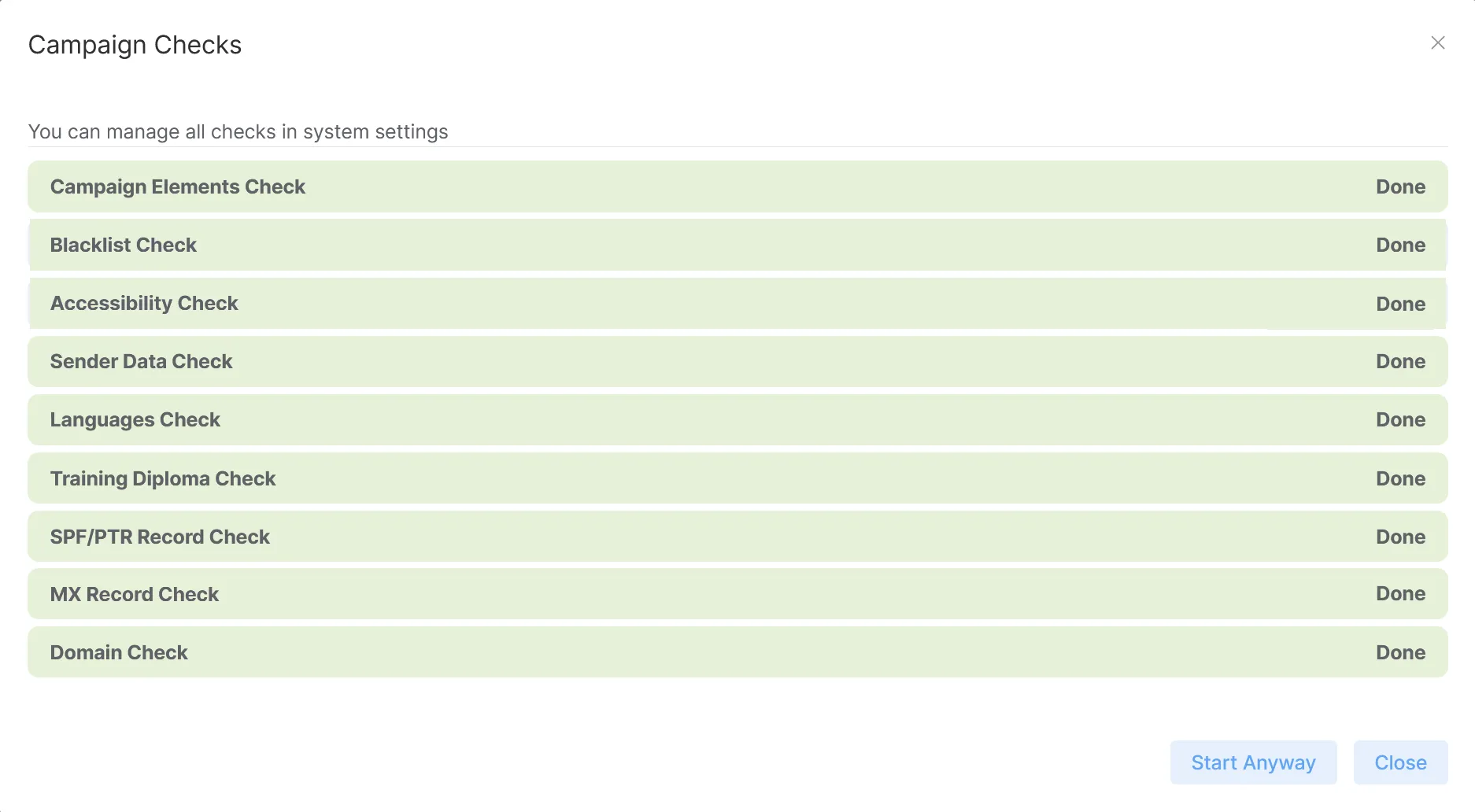
Nine checks run before the first message goes out
Pressing Start doesn't send anything yet. Cyberdise first checks the campaign, and if a check fails, the campaign waits until the problem is fixed or that check is switched off. You can abort while the checks run, and each realm decides which of them are mandatory.
- Sender domain health, from blocklists to certificates
- Every message complete, in every language
- Every language your target groups need
- Every landing page and training reachable before the first send
What each message is built with
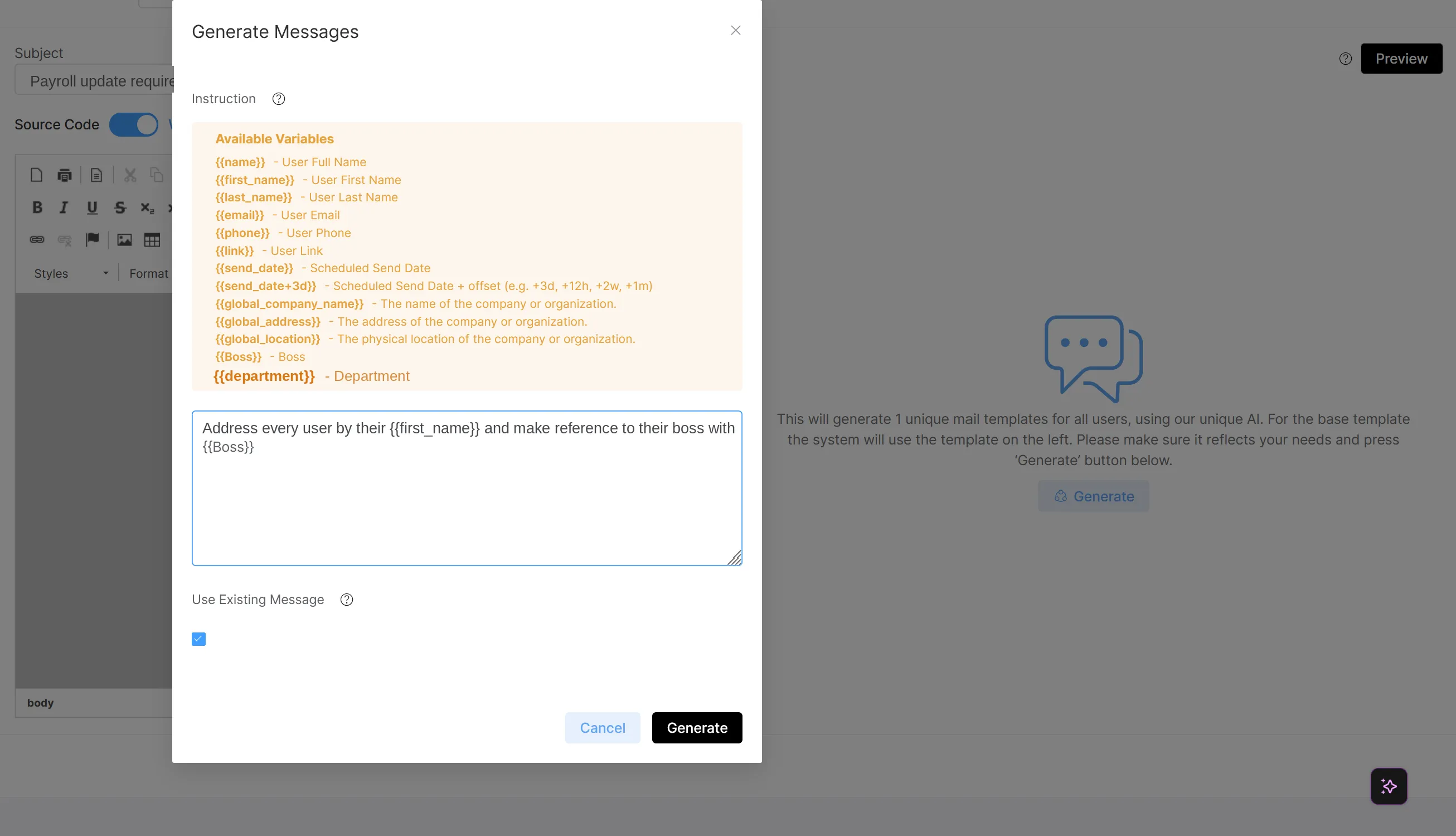
- Phishing Exercise AI Assistant: writes a separate version of the message for each recipient, drawing on collected OSINT when you tell it to
- Personalization variables: custom, gender and global variables fill in each recipient's details in the subject, the sender and the body
- AI Template Translator: translates a template's message, landing page and lure into another realm language, ready for your review
What keeps running once it's live
After approval, reminders and escalations run on schedule. You set the reminder rules once per realm, and they apply to every campaign unless you switch them off for one. A reminder you add after launch still takes effect.
- Reminders for anyone who hasn't opened, passed or finished a training
- Reminders sent only within the campaign's business hours
- Onboarding sequences: people added to the group mid-campaign get their modules hours, days or weeks after they join
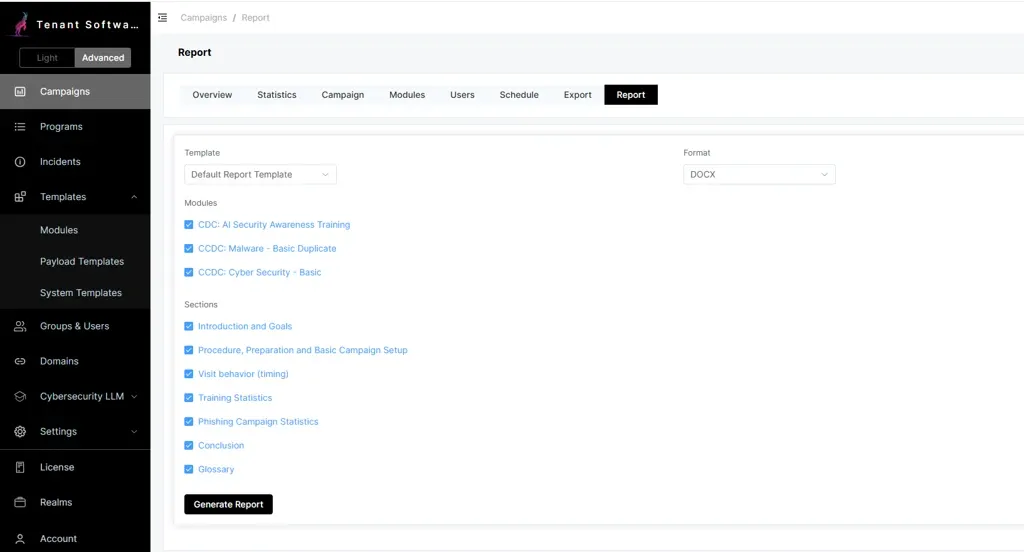
- Stakeholder reports generated from a template for each audience, with your logo, as a Word or PDF file
What the campaigns plug into.
Does anything send automatically?
Which languages can it build?
Can we edit what it drafts?
How is the audience chosen?
How do schedule and duration work?
What do I type to personalize a message?
Bring a campaign brief. Watch it get built.
Describe a campaign in one sentence and see the templates, the schedule and the approval step.